Hey everyone,
Just pushed another new feature for WPBay sellers: Licenses & Usage.
So, for this to work, you must have products which have the WPBay SDK integrated in them and also with sales. For these, you can now monitor product activations directly from your seller dashboard.
This includes:
-
active installations across your products
-
unique customer counts
-
recently activated licenses
-
per-product installation summaries
-
customer activation records
-
domain / site usage visibility
-
purchase code search
-
activation status filtering
-
manual deactivation of customer installations (to free activation slots when needed)
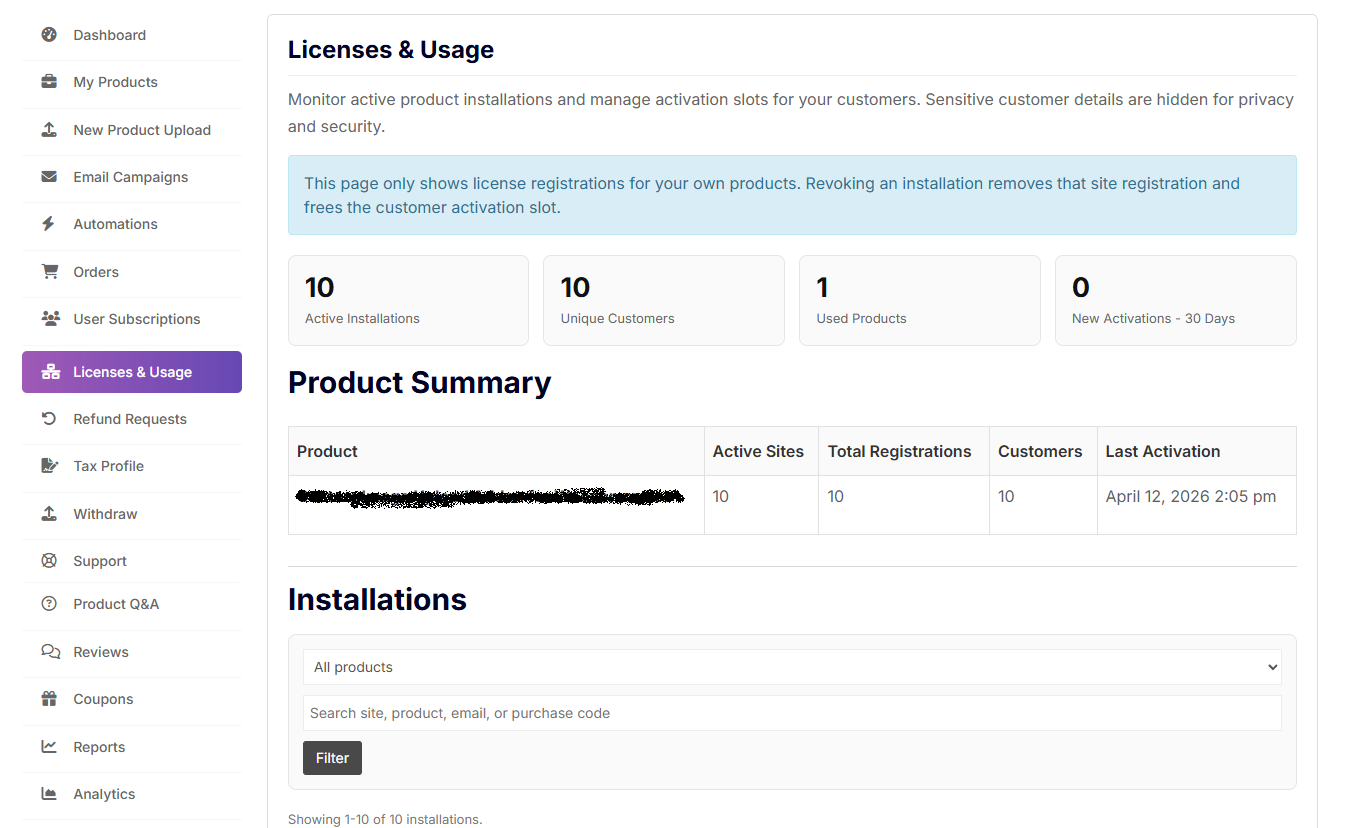
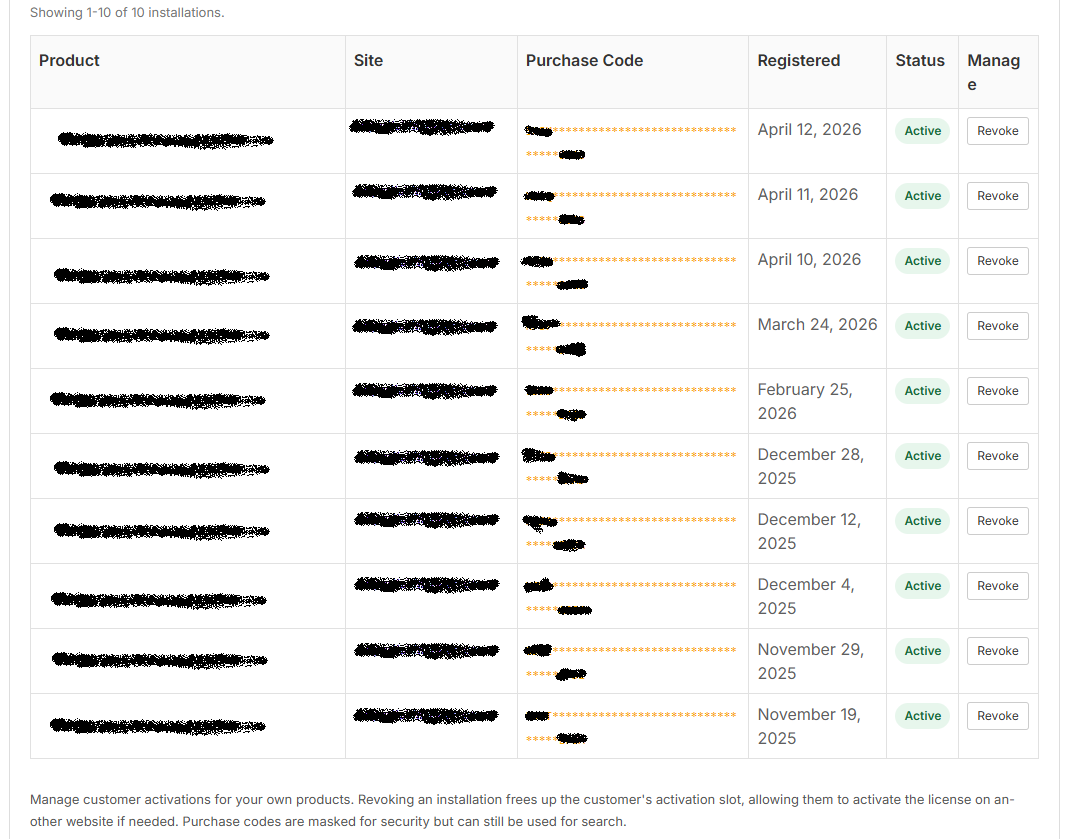
The goal is simple: give sellers much better visibility into what’s happening after a sale.
Now you can see what’s going on behind the scenes, where are your customers using your products.
Remember, if your plugin or theme doesn’t use the SDK yet - no data is sent to WPBay servers, thus this page will stay empty, because there’s nothing to track.
If you want activation analytics, license validation, purchase code handling, upgrade flows, and customer license management, integrate the SDK as shown here:
https://wpbay.com/wpbay-sdk-integration-documentation/
Manual deactivation should be used responsibly.
Deactivating an installation removes that site registration and frees the activation slot for the customer. The product will also stop working for the user (if it is still used on the site, so beware). Useful when helping customers migrate sites, reset installs or clean up stale activations.
This has been something I wanted in WPBay for a while, because proper plugin/theme licensing without seller visibility is a bit frustrating…
Now it’s here 
As always, feedback welcome.
Szabi