Hey guys,
For a few days I’ve been dealing with an issue that’s driving me crazy. And I can’t tell if it’s just an issue with my connection/router or a real problem.
Could you check on your end as well please, and let me know what you see?
Go to sites like:
Try going to random pages. Try going to the “Admin demo” link in the menu and logging in.
Occasionally I get really slow load times like 10 seconds, 20 seconds. Or the login effectively stalls and never logs in. If I reload the page it loads instantly.
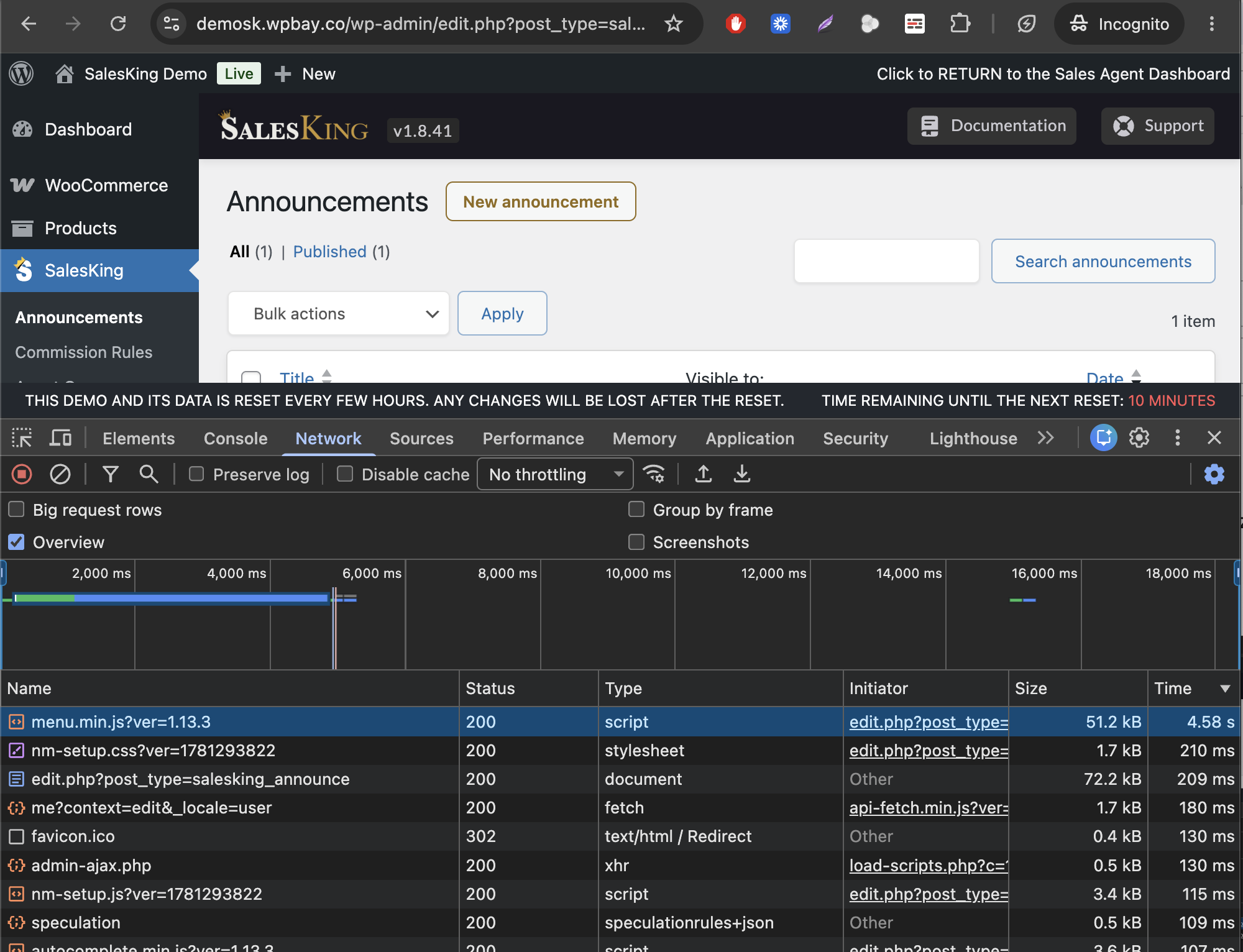
Most things will load but if I check the Network tab there’s usually 1 specific JS or CSS that took like 30 seconds to load.
(this one is 4.58s but I saw 20s, 30s etc)
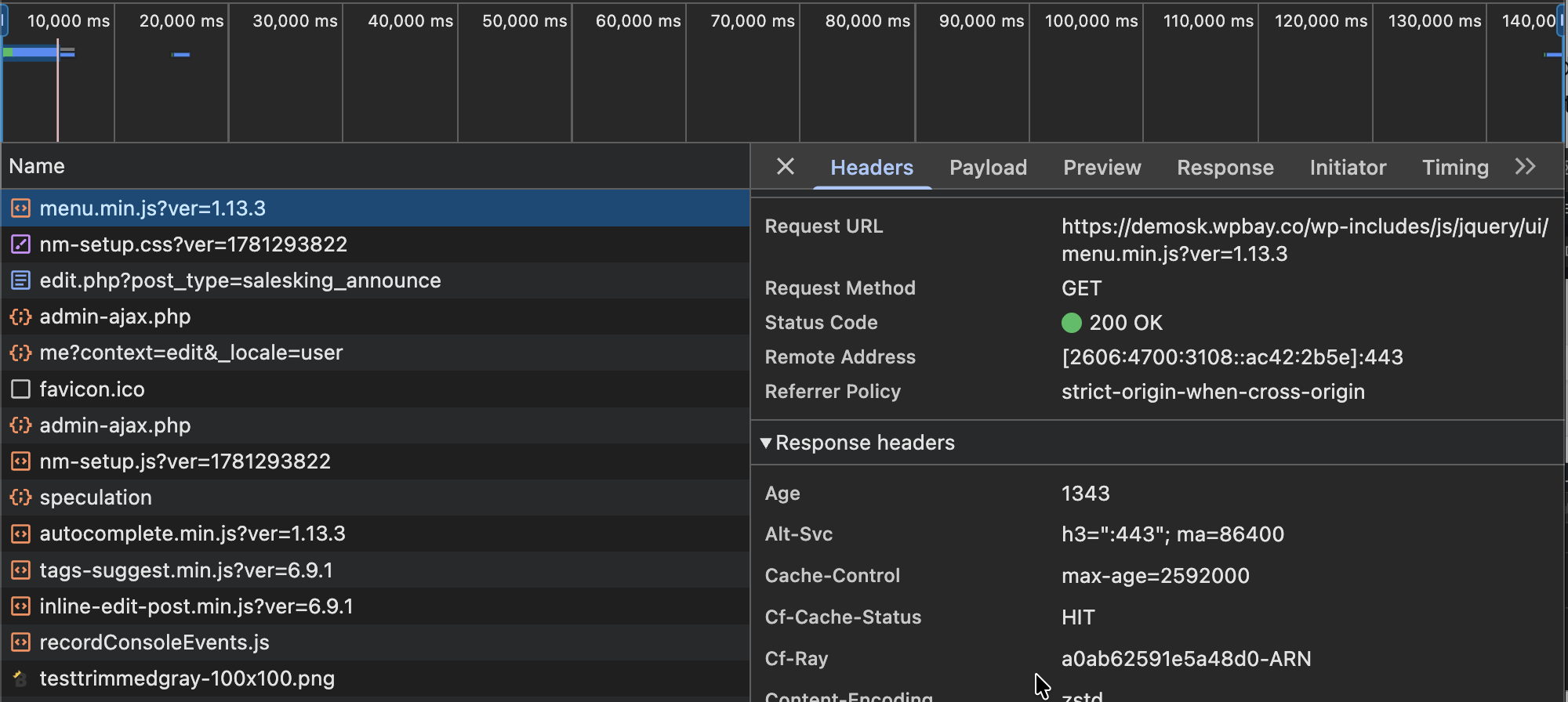
and the even stranger part is that it shows CF-CACHE-STATUS = HIT (loaded from CF cache)
Are these sites loading for you normally?
Loads fine for me almost instant… I could not find any issue!
1 Like
Thank you for trying @tibi_diablo !
1 Like
I checked and most of the time it works instantly for me, however, 1 out of 15-20 times I get 10+ second load times. Once I got even 20s, so yeah, this issue is not only on your part.
I checked the Network tab of Chrome and I see that some Elementor related stuff are loading lastly, not sure if they are the culprit of the slow load time, or they are just queued lastly.
And yeah, resources coming from Cloudflare, so I suspect it is not server performance issue, but it is a Cloudflare edge issue (however, I might be biased here, as I am really mad at Cloudflare right now).
Maybe disable Elementor if you don’t need it or trim some other of the unneeded stuff which load?
I also found some similar issues, check:
https://community.cloudflare.com/t/cache-hit-response-with-no-age-header-very-slow/476047
Or even extreme case:
https://community.cloudflare.com/t/static-assets-take-6-min-to-load/2711
The solution in one case was to disable “Tiered Caching” in CF.
1 Like
Thanks @CodeRevolution - starting to think it is indeed Cloudflare especially since it works much better for me on my phone 5G.
I’m going to dig into this deeper, turn off CF, turn off argo, tiered caching, etc. Will update findings here.
1 Like
Pausing Cloudflare solved it immediately.
Strangely enough after lots of tests where nothing helped, I tried ‘Delete Cache Reserve Data’, and the issue appears solved now.
Just before doing that I had just bought Cloudflare Pro for the zone, so I could submit a support ticket. I was able to get the issue clearly on video and I’ve opened a ticket with Cloudflare. Curious to see if they will genuinely investigate or help.
Stop using cloudflare this issue will happen agian and again and you have zero control over it, why depend on this!
1 Like
There are some big benefits to it (when it works):
-> For fully cached pages, they serve them directly from their regional datacenters. In practice I tested and without Cloudflare I might get a speed like 300ms in Germany or France (close to my server), but 1000 or 2000ms in Australia, Dubai or Los Angeles. With Cloudflare it’s 300ms everywhere.
-> For dynamically generated pages, it’s still a significant difference if you use Argo (their private network), something like 500ms vs 2000ms in far away places like Australia.
So if you want that highest performance, maybe you do not want to work with Cloudflare and you go with AWS, Google CDN or something else, but ultimately you will have to trust some providers.
But admittedly this and the issue @CodeRevolution had is making me wonder about those alternatives…
2 Likes
Perosnlly I use a cache plugin and I am ok with that… my wbesite is heavy though , but from past experiences I try to stay away from any third party whatever it is if I can…
1 Like
Update: Issue is now resolved. It seems others were experiencing it as well in the community forums, and someone was able to escalate it into an official incident that has been addressed now: Cloudflare Status - Intermittent Slow Cache Responses
I also received a response from Cloudflare support that was quite thorough, which gives me confidence in them.
2 Likes