Hi Everyone,
If you manage more than 1 WP Site, what are your tools or practices to make sure site maintenance is on par?
Thanks
Abdullah
Hi Everyone,
If you manage more than 1 WP Site, what are your tools or practices to make sure site maintenance is on par?
Thanks
Abdullah
I update plugins once per year and pray nothing breaks 
In my case I disable all automtic updates, for plugins and WordPress… if you don’t at some point everything will break is guaranteed!
This is the next big product idea. A service which helps websites update to the latest version or WordPress, themes and plugins, with guarantee that nothing breaks.
As utopical as it sounds, there might be a possibility to implement something like this.
As I imagine it, the service would automatically clone the site into a temporary staging environment, run all updates there first one by one (core, themes, plugins) and then run automated checks: page loading, PHP errors, broken layouts, key functionality like login or checkout.
If everything passes, the update gets pushed to the live site. If something breaks, the system skips that update and reports which plugin or theme caused the issue.
Over time the platform could also build a compatibility database (which plugin versions break with which themes, PHP versions, etc.)…
Really hard to implement, but not impossible. 
very interesting!
Maybe even do a GET of every page, BEFORE and AFTER the update and if there are any HTML or JS differences it notifies you.
Could even do something like: for the initial setup, site admin goes through a real checkout, real registration etc while the app is recording clicks, mouse, events.
Very cool idea and I think this is something I would pay for myself.
Maybe it would send a nice email notification like: “We tested the new Woo 12.3.4 version and passed all tests. Take Backup and PUSH to PRODUCTION?” - one click.
Guys, you’re a bit late. This feature is already supported by WP-Umbrella, ModularDS, and several other WordPress maintenance platforms. They usually call it visual regression.
But with SiteSkite, we approach it differently. Instead of just checking visual changes, SiteSkite can instantly create a sandbox clone of your live site and provides several ways to keep your website accessible and recoverable.
Recently, I introduced another feature for situations where a WordPress website shows a PHP fatal error after a code change, such as a syntax error or a broken plugin or theme update.
In these situations, you usually lose access to the WordPress admin dashboard, and sometimes you don’t even have SFTP, cPanel, or other server credentials.
So the question becomes:
How can you immediately access WP-Admin when the site is broken and you have no server access?
With SiteSkite installed, you still can, I recently made a video for that:
Oh, wow, congrats on implementing this! Also, I saw that you charge 2$/month for the service, nice!
I give it a try.
Wow, I had no idea!
I’m surprised I never even heard about these as a plugin dev, but maybe these kind of solutions are more popular with Agencies.
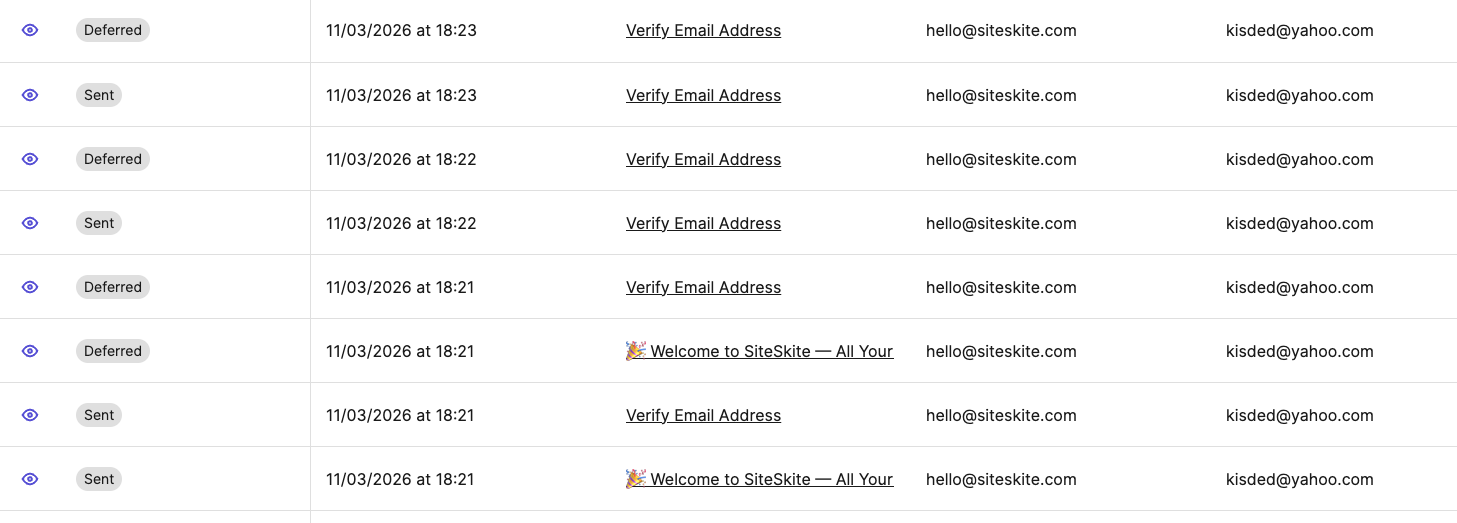
Just a heads up, I signed up to SiteSkite, but the confirmation email is not coming at all, I resent it a couple of times, still no email received (checked also spam).
You might want to fix this, as it is a red flag to new customers.
Thanks @CodeRevolution i checked the logs, it sent emails to you already, can you confirm.
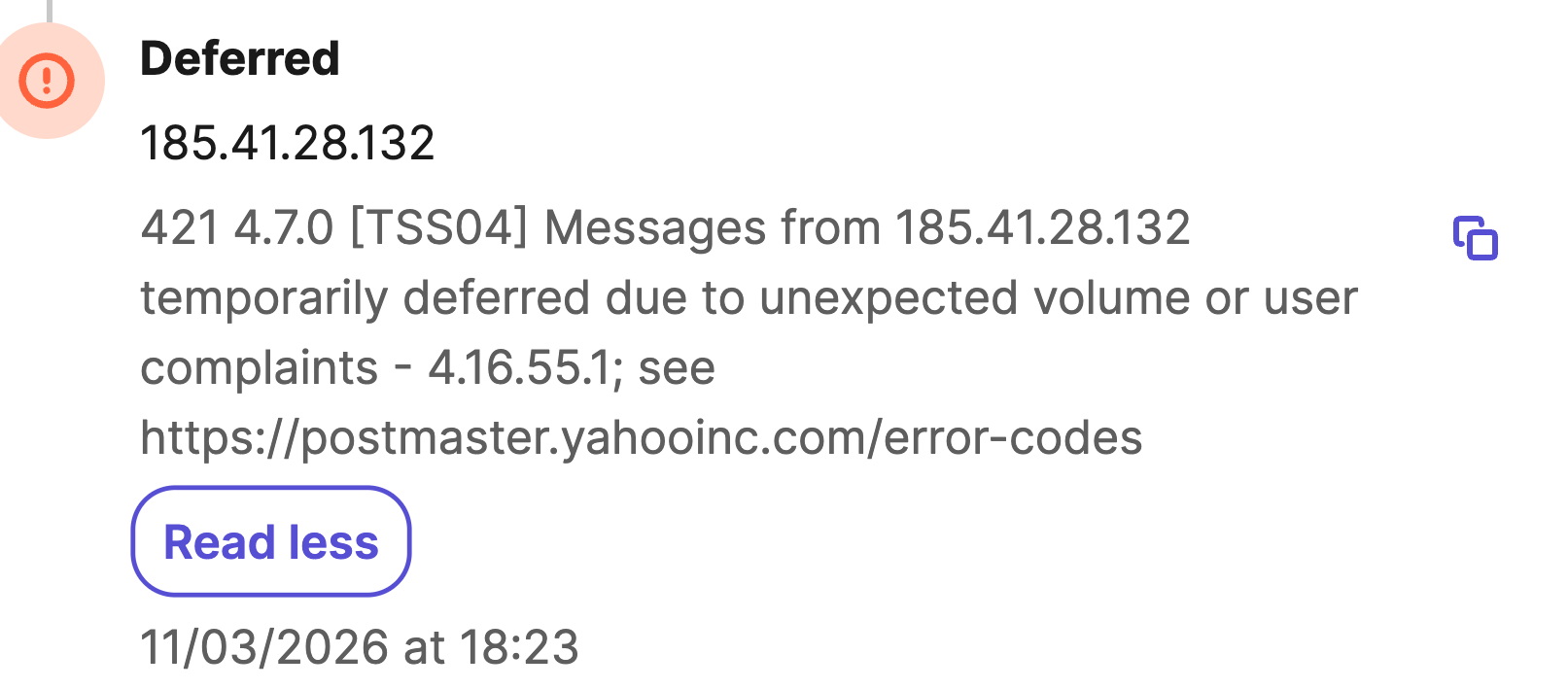
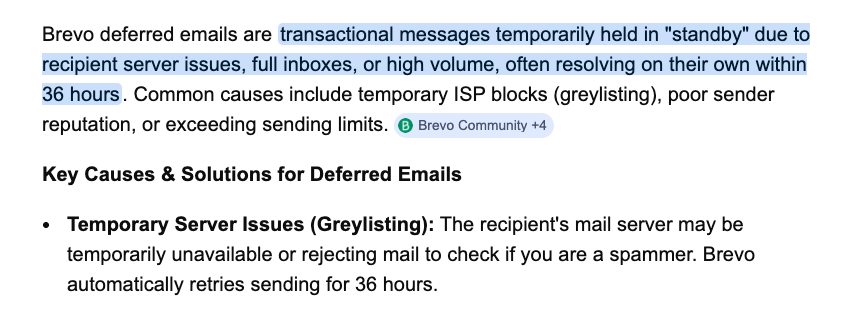
I found some how BREVO blocking transactional email sending to your account:
don’t worry i ll manually verify it.
No email yet, but yes, probably it will come soon.
Nah guys, if you have a custom theme or plugin that modifies the core features of WordPress—WooCommerce in my case—you often end up having to update a lot of classes. Even though they’re not technically core classes, if they change after an update, it’s basically game over. This will never really change no matter what we do… I guess it also depends on the actual context… but a bullet proof soltion for this I don’t think is possible.
If you have custome theme/plugin it has nothing to do with Site Recovery feature, as its works on mid layer where WordPress Heartbeat works. For example if your active Custom Theme/Plugin broke, through Fatal Error, it will not halt SiteSkite recovery operation.
Nice work with SiteSkite @abdullah.media . I see your point about fatal errors.
I think @tibi_diablo meant more in terms of functionality. If an update results in functionality changes, conflicts, for example a pricing display or pricing calculation issue on a WooCommerce site, it seems fundamentally nearly impossible to detect. So a human reviewing things still remains needed.
I had the audacity to update from WordPress 6.8 to 6.9… well, today I’m still fixing things.
Note to self: NEVER UPDATE!!!
WordPress 6.8 to 6.9, I would recommend to always using a sandbox site option.